


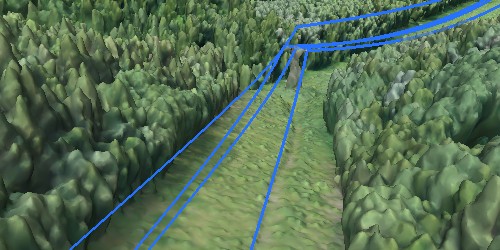
You take photos from different angles, upload them to software like Agisoft Metashape, press a button, and a precise three-dimensional model appears shortly after. It seems like magic, but behind it lies a fascinating mathematical and computational process. In this article, we explain exactly what happens inside the software: from the first image to the final 3D model.
The starting point: what does the software need?
To reconstruct a 3D scene, the software needs at least two photographs of the same object or area taken from different positions . In practice, dozens, hundreds, or even thousands of images are used to achieve greater accuracy and coverage.
The fundamental requirement is overlap : each point of the object or terrain must appear in at least two images, and the more the better. In aerial photogrammetry, a frontal overlap of 80% and a lateral overlap of 60% between images is recommended.
The stages of the 3D reconstruction process
Stage 1 — Feature Point Detection (SIFT)
It all begins with searching for distinctive features in each image: corners, edges, textures, contrasts. The most widely used algorithm for this is SIFT ( Scale-Invariant Feature Transform ), developed by David Lowe, which detects points that are recognizable regardless of the angle, scale, or lighting conditions under which the photo was taken.
In practice, Metashape detects tens of thousands of these points per image. Each point is described by a mathematical “descriptor” that represents its visual environment.
Analogy: It’s as if the software identified unique landmarks in each photo—a paint stain, the edge of a window, a crack in the floor—and memorized them so it could recognize them in other photos.
Stage 2 — Image Matching
Using the calculated descriptors, the software searches for points in one image that match points in other images . This is called feature matching .
The result is a network of correspondences: point A in photo 1 is the same physical point as point B in photo 3 and point C in photo 7. The more overlap there is between the photos, the more correspondences are detected and the more robust the resulting model is.
Factors that make matching difficult include uniform surfaces (without texture), reflections, very dark or very shiny areas, and objects in motion during capture.
Stage 3 — Structure from Motion (SfM): camera position and scattered point cloud
With the established correspondences, the central algorithm comes into play: Structure from Motion (SfM) , which in Spanish means “Structure from Motion”.
SfM simultaneously solves two problems:
- Where was each photo taken from? → Calculate the exact position and orientation of the camera at the time of each shot.
- Where is each point in space? → Triangulate the 3D position of each coincident point between images.
The result of this stage is a sparse point cloud : thousands of points floating in space that begin to outline the shape of the object or terrain. It is not yet dense or detailed, but it already defines the general geometry and the relative position of all the cameras.
This process also includes Bundle Adjustment : a mathematical optimization that simultaneously adjusts the positions of all cameras and all points to minimize reprojection error. It is computationally intensive but essential for final accuracy.
Stage 4 — Multi-View Stereo (MVS): dense point cloud
Once the exact position of each camera is known, the software applies Multi-View Stereo (MVS) to generate a dense point cloud .
MVS analyzes each pair of images as a stereoscopic system: using the known geometry of the cameras, it calculates the depth of each pixel in each image. The result is a cloud with millions or tens of millions of points, each with precise XYZ coordinates and RGB color values.
This is the most demanding stage in terms of hardware: it requires a lot of RAM and benefits greatly from GPU acceleration. A project with 500 photos can generate a point cloud of over 100 million points.
Stage 5 — Mesh Generation
A point cloud is a collection of isolated points. To obtain a continuous, closed surface, the software applies surface reconstruction algorithms that connect the points and generate a polygonal mesh : a network of triangles that defines the shape of the object.
In Metashape, this stage can be configured with different levels of detail (low, medium, high, ultra-high) depending on the need and available hardware resources.
Stage 6 — Texturing
The mesh has the correct geometry, but it still looks like a gray, colorless model. In the texturing stage , the software projects the original photographs onto the mesh to generate a photorealistic texture .
The result is a 3D model that not only has the exact shape of the real object, but also its complete visual appearance: colors, materials, surface details.
Step 7 — Georeferencing (Professional only)
In topographic or mapping workflows, an additional stage is added: georeferencing . Using ground control points (GCPs) with known real coordinates (surveyed with precision GPS), the software transforms the model from a relative coordinate system to an absolute one, expressed in a real geographic reference system (for example, WGS84 or POSGAR 07 in Argentina).
This stage is what allows obtaining orthophotos, elevation models and point clouds with real metric coordinates, suitable for use in GIS, surveying and official cartography.
The final products that the process can generate
Depending on the software and the stages performed, the 3D reconstruction process can generate:
| Product | Description | Main uses |
|---|---|---|
| Dense point cloud | Millions of colored XYZ points | Surveying, inspection, archiving |
| Textured 3D mesh | Polygonal model with photorealistic texture | Visualization, heritage, video games |
| Orthomosaic | Geometrically corrected aerial photograph | Cartography, GIS, agriculture |
| DEM / DTM | Digital terrain elevation model | Topography, hydrology, volumes |
| Contour lines | Height isolines | Topographic plans, construction |
What factors affect the quality of the result?
The quality of the final 3D model depends on several decisions made before and during the capture:
Image overlap: more overlap = more common points = more robust model. Recommended minimum: 70-80% front and 60% side.
Surface texture: surfaces with rich texture (stone, earth, vegetation) are reconstructed much better than smooth, shiny or uniform surfaces (glass, water, polished metal).
Lighting: Uniform, diffused light facilitates point detection. Harsh shadows or direct glare hinder matching.
Image resolution: Higher resolution means more detail in the final model. However, higher resolution also means longer processing time.
Number of photos: More photos allow you to cover areas without overlap, improve accuracy, and complete problem areas.
How does Agisoft Metashape do this?
Metashape implements each of these stages in an integrated way within a single interface, with configurable parameters for each step. The typical workflow in Metashape is:
- Upload images to the project
- Align photos → performs SIFT detection, matching, and SfM → generates scatter cloud
- Build dense cloud → run MVS → generate dense cloud
- Build mesh → generates polygonal surface
- Build texture → projects photos onto the mesh
- (Professional Only) Configure GCPs → Export to GIS formats
Each stage is configurable in quality and advanced parameters, allowing you to balance accuracy and processing time according to the needs of the project.
Conclusion
3D image reconstruction isn’t magic: it’s mathematics, geometry, and computer vision working together. Understanding how each stage works—from SIFT detection to final texturing—allows for better image capture decisions, smarter software configuration, and anticipating problems before they arise.
If you want to apply this process to your work with Agisoft Metashape, at Aufiero Informática we can help you choose the right license and guide you through the first steps.
👉 Learn about Agisoft Metashape at Aufiero Informática
Frequently Asked Questions
How many photos are needed to reconstruct an object in 3D?
It depends on the size and complexity of the object. For a small object (an archaeological piece, for example), 50-100 well-taken photos may be sufficient. For an entire building, several hundred are needed, and for a large-scale topographic survey, thousands.
What is the difference between SfM and traditional photogrammetry?
Classical photogrammetry required precision-calibrated cameras and highly controlled capture positions. SfM automates camera calibration and position determination from the images themselves, making it much more accessible and flexible.
Why don’t glass and water match well?
Because they are specular surfaces: they reflect light differently depending on the viewing angle, which makes the same point look different in each photo. The matching algorithm cannot establish reliable matches under these conditions.
How long does it take to process a 3D model?
It varies greatly depending on the number of photos, the resolution, and the hardware. A small project (100 photos) might take 30 minutes on a modern computer. A large project (2,000 high-quality photos) could require several hours or overnight processing.