


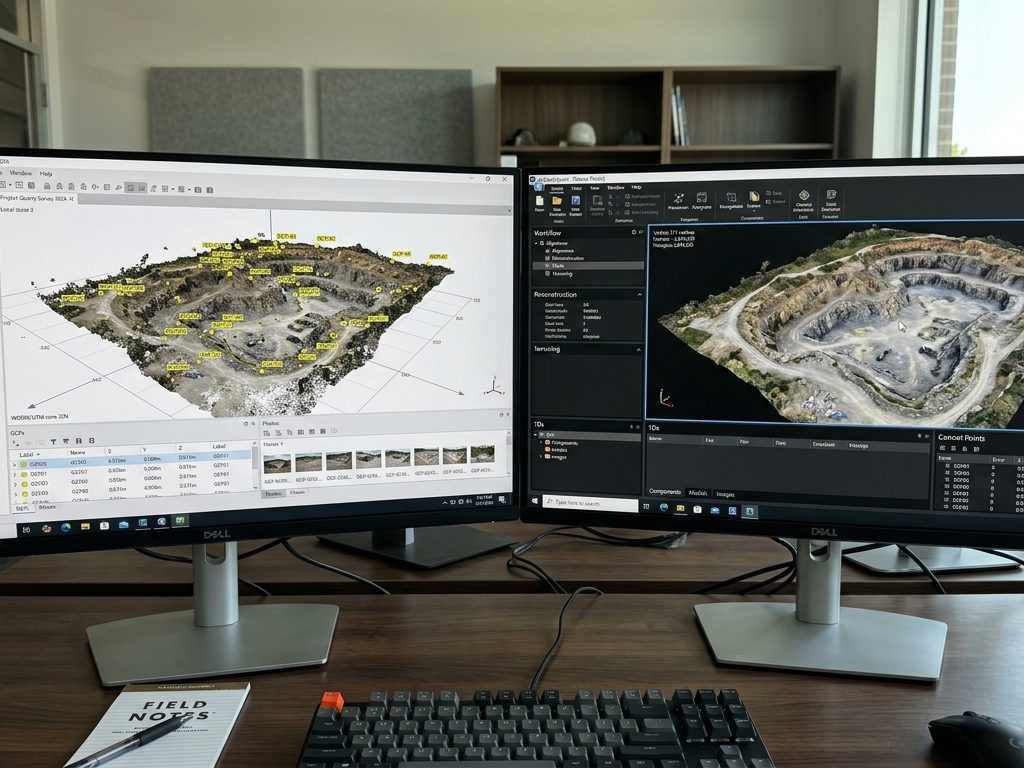
If you’re evaluating which professional photogrammetry software to use, you’ll eventually come across this comparison. Agisoft Metashape and RealityCapture—rebranded as RealityScan 2.0 by Epic Games in 2025—are the two undisputed leaders in the market. Both convert photographs into point clouds, 3D meshes, orthomosaics, and elevation models. But their philosophies, strengths, and prices are markedly different.
This guide compares both honestly, without advertising, so you can make the right decision based on your workflow.
Context: What is each software?
Agisoft Metashape is a standalone photogrammetry software developed by Agisoft LLC (Saint Petersburg, Russia) and available since 2010. It is positioned as a high-precision tool with granular control over each stage of processing. It is widely used in surveying, GIS, archaeology, scientific research, and industrial applications.
RealityCapture / RealityScan 2.0 was originally developed by Capturing Reality (Slovakia) and acquired by Epic Games in 2021. In June 2025, it was rebranded as RealityScan 2.0 , unifying with the mobile app of the same name. It is primarily focused on processing speed and integration with the Epic Games ecosystem (Unreal Engine, Twinmotion). It is very popular in video games, VFX, film, and architectural visualization.
Comparison at a glance

| Criterion | Agisoft Metashape | RealityCapture/RealityScan 2.0 |
|---|---|---|
| Processing speed | Good | Far superior (2-4× faster) |
| 3D mesh quality | Excellent | Excellent |
| Parameter control | Very high | Moderate |
| GIS/Surveying Workflow | Native and complete | Functional but limited |
| GCP support and georeferencing | Complete (Professional) | Available, less polished |
| Multispectral/Thermal Imaging | Yes (Professional) | No |
| LiDAR data | Yes (Professional) | Yeah |
| Python scripting | Yes (Professional) | No |
| Unreal Engine Integration | Limited | Native and direct |
| GIS integration (ArcGIS, QGIS) | Native | Functional |
| Offline processing | Yes, complete. | Yeah |
| Operating systems | Windows, macOS, Linux | Windows only |
| GPU required | NVIDIA or AMD | NVIDIA (CUDA required) |
| PDF Quality Report | Yes, detailed. | No |
| Free trial | 30 days (full Professional edition) | Free for income < USD 1M/year |
| Perpetual license | Yeah | No (subscription only for > USD 1M/year) |
| Price | USD 179 (Standard) / USD 3,499 (Professional) | Free or USD 1,250/year per position |
Processing speed: a clear advantage of RealityCapture
RealityCapture is widely considered the fastest photogrammetry software available in 2025. Thanks to GPU acceleration and its efficient algorithms, it can align and rebuild models several times faster than most competitors, especially with large datasets.
Metashape is considerably slower in comparison, especially in generating dense point clouds and constructing meshes. However, it offers greater control over processing parameters, which can be useful for academic or scientific purposes.
In practical terms, for a project of 1,000 photos at 20 MP:
- RealityCapture: can complete processing in 2–4 hours.
- Metashape (High quality): may require 6–12 hours on equivalent hardware.
This speed difference is the strongest argument in favor of RealityCapture, especially for studios with high workloads or tight deadlines.
The trade-off: speed and control are inversely proportional in photogrammetry. RealityCapture sacrifices some manual parameterization in favor of automation. For users who need to fine-tune every stage of processing, Metashape is more flexible.
📷 Image Idea (AI): Bar chart comparing processing times between Metashape and RealityCapture for projects of 100, 500 and 1,000 photos, technical infographic style on dark background.
Quality of results: technical tie, differences in orientation
Both software packages produce high-quality results. Metashape is often preferred for precision tasks such as archaeology, surveying, or thermal/multispectral processing. It supports rigorous camera calibration and dense point cloud editing. RealityCapture produces stunning textured models and is excellent for game, film, and VFX pipelines. It may offer slightly less manual control, but its results are visually impressive and optimized for real-time applications.
In terms of 3D mesh quality, for complex geometry—buildings, structures, terrain with significant vertical relief—RealityCapture’s mesh quality is competitive with Metashape. Heritage documentation professionals favor it for precisely this reason.
Quality summary by project type:
| Project type | Best option | Reason |
|---|---|---|
| Topography / GIS with GCPs | Metashape | More mature GCP workflow, quality PDF report |
| Archaeology / Heritage | Metashape | Greater control, multispectral, certified report |
| Video Games / VFX / Unreal | Reality Capture | Native integration, speed, real-time optimization |
| Architecture / Visualization | Both (according to pipeline) | RealityCapture if you go to Unreal; Metashape if you go to CAD/GIS |
| Industrial inspection | Metashape | Parameter control, Python, GIS export |
| Objects and parts scanning | Both equivalent | It depends on the workload |
GIS workflow and surveying: Metashape advantage
This is one of the most important differentiators for professionals in the geospatial sector.
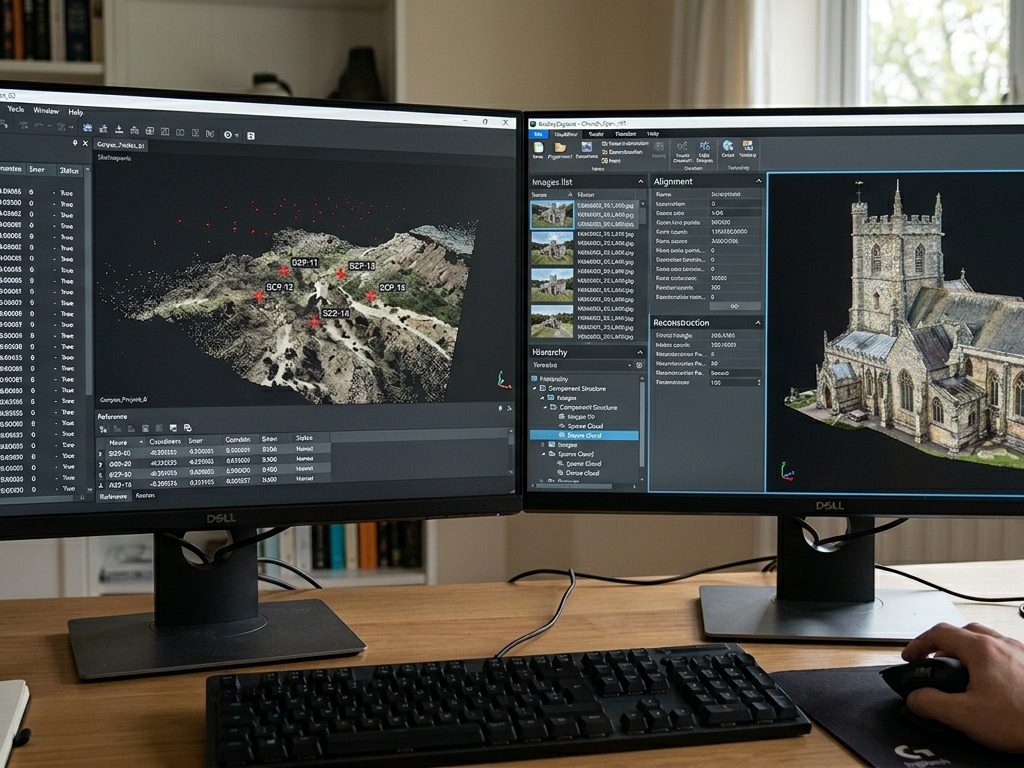
The GCP workflow exists in RealityCapture—though it’s less polished than in Pix4D or Metashape. GCPs can be imported, marked on images, and reconstruction restricted—but checkpoint designation and validation require more manual management outside the software. Accuracy reporting is minimal. There’s no equivalent to Pix4D’s PDF quality report. GIS output is functional—GeoTIFF orthomosaics, LAS/LAZ point clouds, DEMs—but handling reference systems and coordinates requires more configuration than Pix4D or Metashape for standard topographic workflows.
Metashape Professional, for its part, offers a fully integrated GCP workflow:
- Direct import of CSV files with coordinates
- Visual marking of GCPs on photos
- Automatic differentiation between supporting GCPs and verification checkpoints
- PDF report with errors in centimeters per point, coverage map, and calibration statistics
- Native management of coordinate systems (including local projections)
- Direct export in all standard GIS formats (GeoTIFF, LAS/LAZ, DXF)
If delivering results to engineers, agencies, or clients who require auditable accuracy documentation: Pix4Dmapper or Metashape.
📷 Image Idea (AI): Two interfaces side by side: Metashape on the left with Reference panel and GCPs visible, RealityCapture on the right with textured 3D building model. Stylized screenshot style, dark background.
Price and licensing model: key differences
This is the point where the two software programs diverge most drastically, and where the choice directly impacts the long-term budget.
Agisoft Metashape
Metashape uses a perpetual license model : you pay once and the software is yours indefinitely. It includes 12 months of support and updates.
| Edition | Price |
|---|---|
| Standard (Node-Locked) | USD 179 |
| Professional (Node-Locked) | USD 3,499 |
| Professional (Floating) | USD 6,998 |
| Educational (Standard) | USD 59 |
| Educational (Professional) | USD 549 |
RealityCapture/RealityScan 2.0
Epic Games modified RealityCapture’s pricing model in 2024–2025 with one major change: RealityScan is free for students, teachers, and individuals and businesses with annual gross revenues below $1 million. Above the $1 million threshold, a subscription is required.
| User profile | Price |
|---|---|
| Revenue < USD 1M/year (non-commercial or small commercial use) | Free |
| Revenue > USD 1M/year | USD 1,250/position/year |
| Bundle with Unreal Engine (businesses > USD 1M) | USD 1,850/position/year |
What does this mean in practice?
For a freelancer, small studio, or mid-sized company with revenues under $1 million USD annually , RealityCapture is essentially free. This makes it a very attractive option for exploration, creative projects, and workflows with Unreal Engine.
For a company with over one million dollars in revenue , the $1,250/year subscription per position can add up significantly compared to the one-time payment for Metashape Professional.
For a surveyor, land surveyor, or GIS professional who needs GCPs, quality reports, and full GIS export, Metashape Professional at USD 3,499 (one-time payment) remains the most complete and economical long-term option.
Risk of the subscription model: If Epic Games modifies the terms or price thresholds again (as happened in 2024), current users are exposed to changes without prior notice. Metashape, with its perpetual license, offers greater budget predictability.
📷 Image concept (AI): Visual comparison of two licensing models: on the left, a one-time payment icon with a gold coin and downward arrow (Metashape); on the right, a monthly/annual subscription calendar icon with a looping arrow (RealityCapture). Minimalist technical infographic style on a dark background.
Compatibility and ecosystem
Operating systems
| Software | Windows | macOS | Linux |
|---|---|---|---|
| Metashape | ✅ | ✅ | ✅ |
| Reality Capture | ✅ | ❌ | ❌ |
This difference is important: Metashape is the only option if you’re working on macOS (including Apple Silicon) or Linux. RealityCapture is only available for Windows.
GPU
RealityCapture requires an NVIDIA GPU with CUDA support. It does not work with AMD GPUs. Metashape supports both NVIDIA (CUDA) and AMD (OpenCL), providing greater flexibility when assembling the hardware.
Integration with other software
Metashape integrates natively with:
- ArcGIS, QGIS, Global Mapper (GeoTIFF, LAS/LAZ, DXF)
- AutoCAD Civil 3D (LAS, DXF)
- Blender, 3ds Max, Maya (OBJ, FBX)
- Sketchfab, cesium.js (GLB, Cesium 3D Tiles)
- Python (Complete API for automation)
RealityCapture integrates natively with:
- Unreal Engine (direct pipeline, assets optimized for real-time)
- Twinmotion
- General 3D software (OBJ, FBX, PLY)
- Basic GIS (GeoTIFF, LAS)
User experience and learning curve
RealityCapture is fast, clean, and easy to use. Its modern and intuitive interface, with automated processes, makes it accessible to beginners. It’s ideal for creatives and studios working with 3D models for media or visualization. Metashape has a steeper learning curve, but it provides granular control over every step of processing—from photo alignment to export formats—making it suitable for users who want to customize workflows, use Python scripting, or handle complex GIS projects.
In summary: RealityCapture is easier to learn but less configurable. Metashape requires more initial learning time but offers much more control once mastered.
Which one to choose based on your profile?
I chose Agisoft Metashape because:
- Do you work in surveying, mapping, or GIS and need GCPs, accuracy reports, and export to ArcGIS/QGIS?
- You use multispectral or thermal images (agricultural drones, environmental analysis)
- You need to automate workflows with Python
- Do you work on macOS or Linux?
- You prefer a perpetual license without subscription dependencies
- Your workflow involves archaeological or heritage documentation with certified accuracy requirements
- You integrate results into AutoCAD Civil 3D or other professional CAD/GIS software
I chose RealityCapture / RealityScan 2.0 if:
- Your pipeline ends in Unreal Engine or Twinmotion
- You process large volumes of projects and speed is critical
- You work in video games, VFX, film, or real-time architectural visualization.
- Your income is below one million dollars annually (free access)
- You only work on Windows with NVIDIA GPUs
- You need fast results with minimal setup
Can you use both?
Yes, and many professionals do. One possible workflow: process in RealityCapture to quickly obtain the mesh, refine in Metashape for georeferencing and GIS export. Both can import and export in compatible formats.
Conclusion
There is no single winner. The right choice depends almost entirely on your use case:
RealityCapture/RealityScan 2.0 boasts improved processing speed and integration with the Epic Games ecosystem. It’s the natural choice for creative pipelines, video games, and VFX, and an exceptional opportunity for small users who qualify for free access.
Agisoft Metashape offers enhanced control, flexibility, comprehensive GIS support, cross-platform compatibility, and predictable costs with a perpetual license. It’s the industry standard in surveying, GIS, scientific research, and any workflow requiring certified accuracy and georeferenced deliverables.
If your work involves GCPs, quality reports, exporting to ArcGIS or QGIS, or multispectral images, Metashape Professional is undoubtedly the choice .
At Aufiero Informática , official distributors of Agisoft Metashape in Argentina, we can advise you on which edition best suits your workflow.
👉 View Agisoft Metashape licenses at Aufiero Informática
Frequently Asked Questions
Is RealityCapture really free for small businesses? Yes. Since 2024, RealityScan 2.0 (formerly RealityCapture) has been completely free for individuals and businesses with annual gross revenues under $1 million. For businesses exceeding that threshold, the subscription costs $1,250 per seat per year.
Does Metashape Standard compete with RealityCapture? Partly. Metashape Standard allows you to create high-quality 3D models, but it lacks GCPs, GIS export, and surveying tools. For creative projects without geospatial requirements, the comparison is valid. For surveying, only Metashape Professional is suitable.
Does RealityCapture work on Mac? No. RealityCapture/RealityScan 2.0 is only available for Windows and requires an NVIDIA GPU with CUDA support. Metashape is the only professional alternative available on macOS (with native Apple Silicon support).
Which is more accurate for surveying? Both can achieve centimeter-level accuracy with the right methodology. However, Metashape Professional’s GCP workflow, high-quality PDF reporting, and GIS integration are more mature and better suited for professional, certified survey deliverables.
Which one has better technical support? Metashape has official documentation, a community forum, and email support from Agisoft. RealityCapture has the Epic Games community and Unreal Engine forums. In Argentina, Aufiero Informática offers technical support in Spanish for Metashape as an official distributor.