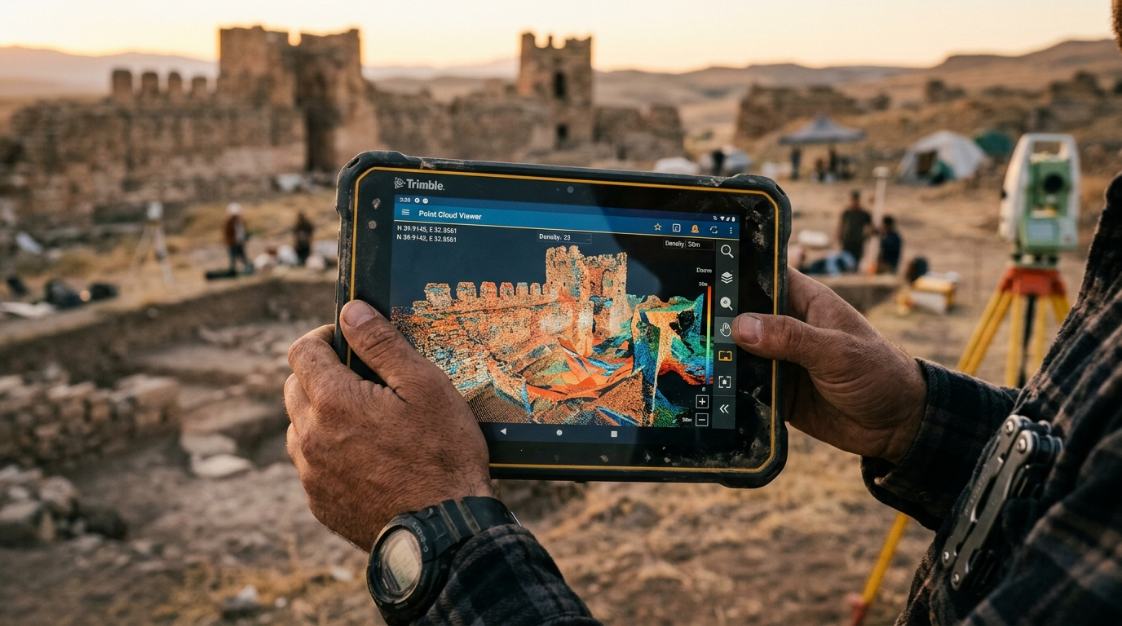

Why photogrammetry changed archaeology
Archaeology is increasingly relying on photogrammetric approaches, whether for modeling an artifact or mapping an excavation. Thanks to its ability to process images from any digital camera, Metashape is widely used in diverse archaeological projects, both in the mountains and underwater, including specialized investigations such as studying vegetation patterns to locate underground ruins or documenting rock art.
The most profound advantage is not technical: it’s conceptual. Photogrammetry allows for documentation without intervention . Millimeter-precision 3D models of a single piece, a stratigraphic level, or an entire archaeological site can be created using only photographs and software. The original remains untouched. The digital model is accessible, shareable, measurable, and archived indefinitely.
📷 Image Idea (AI): Archaeologist photographing a ceramic piece on a work table, surrounded by scale references, with the semi-transparent projection of the 3D model emerging from the piece, photorealistic technical render style, dark background.
Specific applications of Metashape in archaeology
1. Documentation of stratigraphic excavations
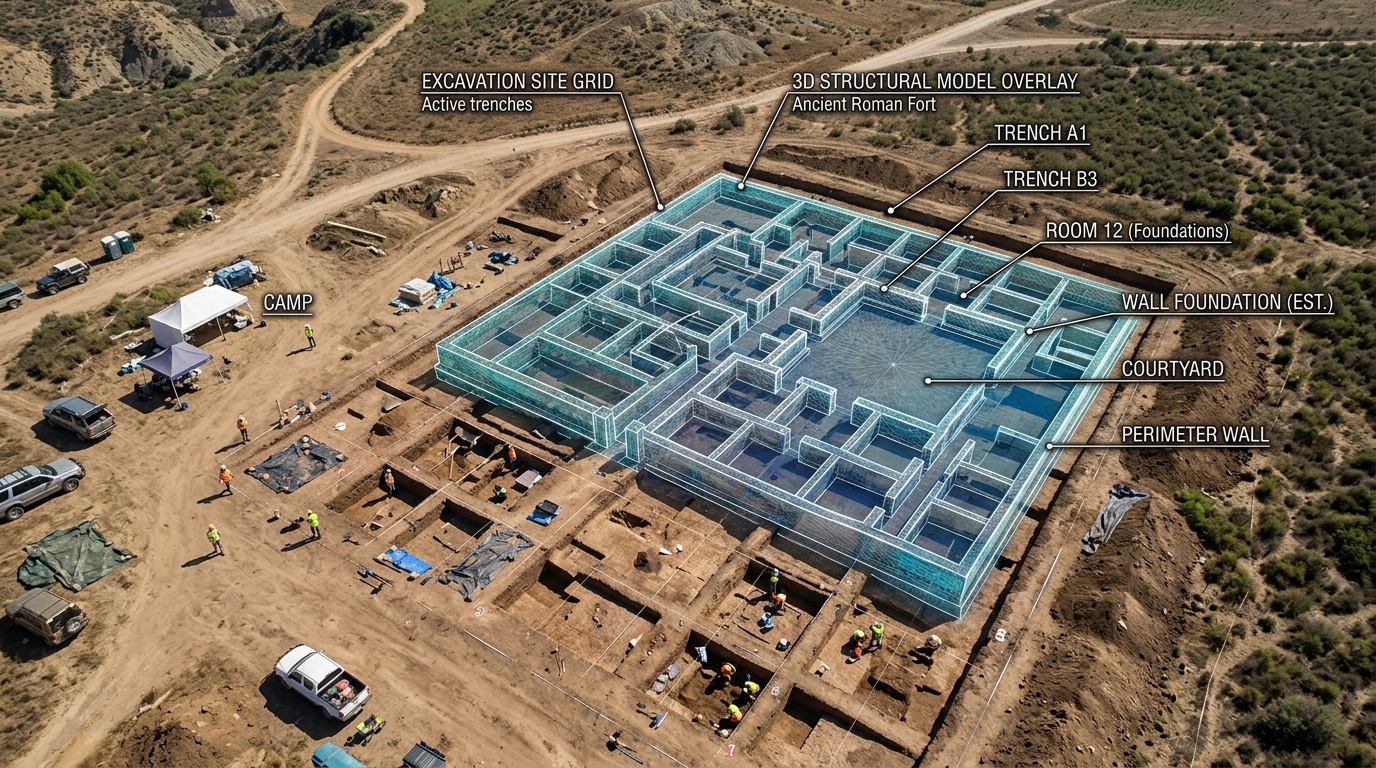
Each level of an excavation (called a stratum or stratigraphic unit) can be photographed and processed in Metashape to generate an orthophoto and 3D model of the stratum before it is removed. The result is a permanent three-dimensional record of each layer of the excavation, with real-world coordinates and the exact positions of each find.
This approach, documented in projects such as the European MEMOLA coordinated by the University of Granada, integrates 3D models with geographic information systems (GIS) to create a complete and searchable spatial stratigraphic database.
Typical flow in excavation:
- Photograph each layer from multiple angles before removing it
- Process in Metashape to obtain orthophoto + point cloud + 3D model
- Georeference using a total station or precision GPS
- Import to archaeological GIS (QGIS + QFIELD in the field, or ArcGIS)
- Record the exact position of each find with its 3D coordinates
📷 Image Idea (IA): Overhead view of an archaeological excavation with drawn grids, visible stratum with distributed ceramic fragments, and a semi-transparent overlay of the 3D model generated by Metashape superimposed, technical style with earth and ochre palette.
2. Modeling of artifacts and parts
Photogrammetric documentation of individual objects—ceramics, sculpture, coins, lithic tools, bones—is one of Metashape’s most established applications in archaeology. It allows the creation of high-resolution 3D records that capture:
- Exact geometry (shape, dimensions, volume)
- Photorealistic texture (color, surface finish, signs of use)
- Wear attributes, fractures, and diagnostic features visible in the model
Unlike structured light scanning (another common method), photogrammetry does not require expensive specialized equipment: a good DSLR or mirrorless camera and Metashape are sufficient to obtain sub-millimeter accuracy models of small objects.
Artifact capture protocol:
- Neutral background surface (black or grey fabric)
- Physical reference scale visible in at least some images (millimeter ruler, calibration spheres)
- 60–120 photos covering all angles: top, side in multiple positions, bottom
- Diffused and uniform lighting (light box or cloudy day outdoors)
- If the piece has reflective parts (metal, glass, varnish), apply temporary titanate spray to eliminate the reflection.
📷 Image Idea (IA): Fragmented archaeological ceramic piece on a black background, surrounded by various photo angles in a circular arrangement, with the final textured 3D model emerging in the center, technical composition style with dramatic lighting.
3. Documentation of architectural structures and monuments
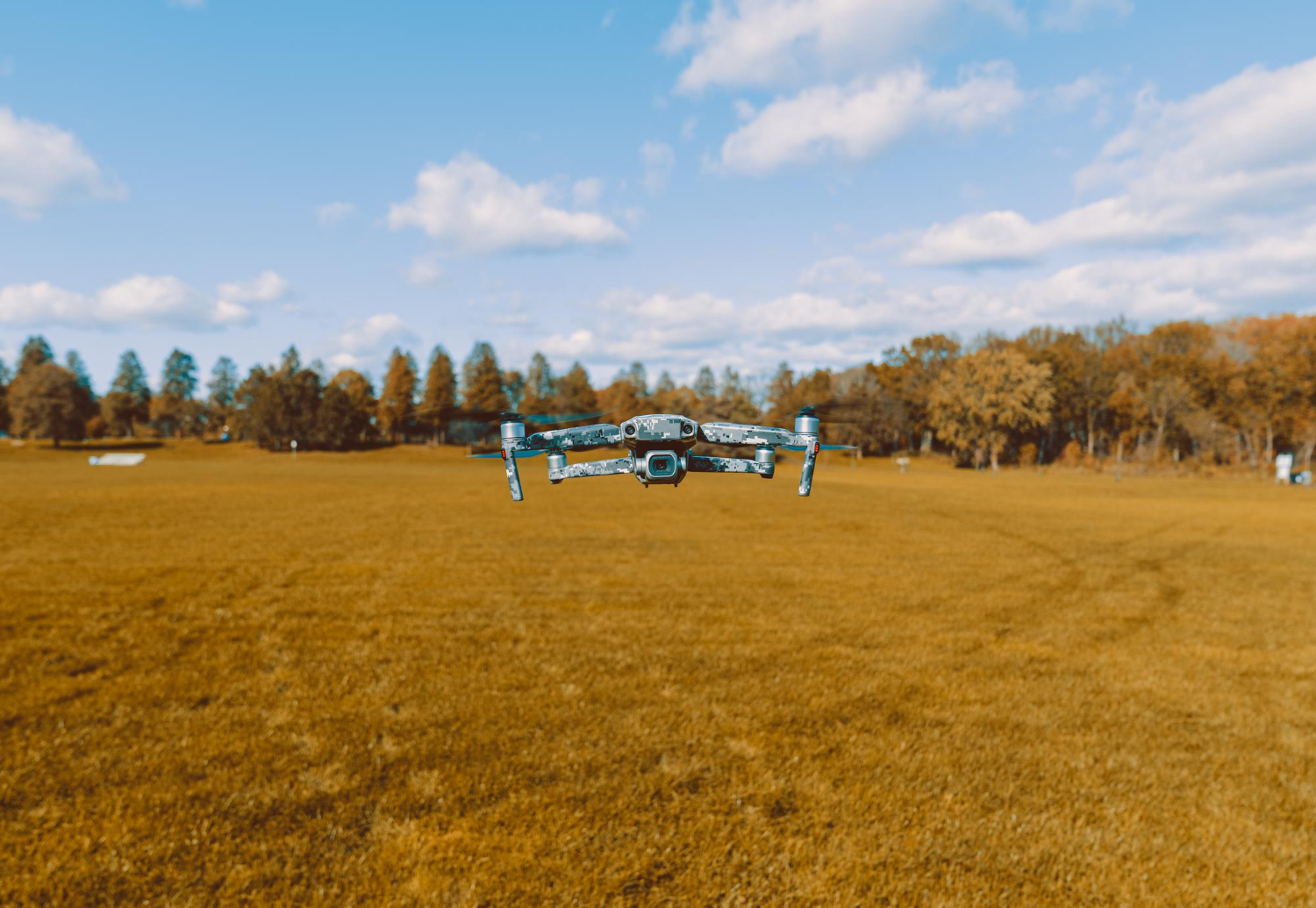
Metashape allows the reconstruction of entire architectural structures—temples, fortresses, ruined buildings, ornate facades—by combining ground-level photographs with aerial drone imagery. This combination, known as hybrid photogrammetry, captures both high-resolution surface details and the overall geometry of large structures.
The 3D models of partially ruined monuments and artifacts generated with Metashape provide a reliable basis for restoration work thanks to the exceptional accuracy of the reconstruction results. These results are also displayed as illustrative models of large-scale cultural heritage objects, suitable for museums, virtual exhibitions, and scholarly publications.
Application examples:
- Documentation of facades with high and low relief ornamentation
- Mapping structures in hard-to-reach places (summits, cliffs, flooded areas)
- Recording of mural paintings or rock art with high-resolution models that allow you to see pigments and reliefs imperceptible to the naked eye
- Digital reconstruction of structures partially destroyed by conflict, natural disasters or vandalism
📷 Image Idea (AI): Ruins of a classical temple (columns, capitals) partially covered by vegetation, with the 3D model textured in Metashape superimposed on the right half of the image, cultural heritage visualization style, dark background.
4. Rock art and movable property in rock
Rock art presents one of the greatest challenges in heritage documentation: irregular surfaces, remote locations, fragile pigments, and subtle reliefs that require capturing variations of just millimeters. Photogrammetry with Metashape is especially effective here because:
- It captures the geometry of the rock with millimeter precision, revealing bas-reliefs invisible in flat photographs.
- It can be used with DStretch (color processing) techniques to reveal degraded pigments that are not visible to the naked eye.
- It does not require physical contact with the surface, preserving the integrity of the site.
- It allows you to create exact replicas for museum display without moving the original.
📷 Image idea (AI): Rock art panel with figures engraved in stone, with the 3D model of its surface generated by Metashape showing the relief in false color (height scale), scientific visualization style on a black background.
5. Underwater archaeology
Metashape is widely used in underwater archaeological projects—shipwrecks, ancient ports, submerged structures—where access is limited, working time is short, and traditional documentation is especially difficult.
Divers photograph the site using cameras in underwater housings (with color correction for the underwater environment), and the models are then processed on the surface with Metashape. Camera calibration in Metashape takes into account water refraction if the correct settings are used.
📷 Image Idea (AI): Diver photographing a Roman amphora on the seabed, with greenish visibility of the water, and the textured 3D model floating next to him as a semi-transparent overlay, underwater photorealistic render style.
Complete workflow: from excavation to 3D model
In the field
Minimum equipment:
- DSLR or mirrorless camera with fixed lens (24–35 mm, f/8 aperture)
- Scale references (graduated bars, printed targets)
- Logbook for recording GCPs or markers used
Capture protocol:
- Establish visible scale references in the capture field
- Photograph from multiple heights and angles: overhead, 45°, side
- Ensure a minimum overlap of 70% between consecutive photos
- For small pieces: photograph against a neutral background in 2–3 rings of height + top and bottom zenithal
- For structures: combine ground-level shots with drone shots (if the site allows)
In laboratory / office
Step by step in Metashape:
- Import photos and check quality — Discard blurry photos or photos with a quality < 0.7
- Align photos — High Accuracy; enable generic or reference preset if GPS coordinates are available
- Scale the model — If you used scale bars: Tools → Scale Bars → Update transformation so the model has real dimensions in meters/centimeters
- Build dense point cloud — High quality for small parts, Medium-High for large structures
- Build mesh — Arbitrary type; high number of faces for maximum detail
- Build texture — Generic mode, 4096×4096 or 8192×8192 texture
- Export — OBJ for viewing and archiving, LAS for GIS integration, 3D PDF for sharing with teams without specialized software
Which edition of Metashape does an archaeologist need?
| Need | Standard | Professional |
|---|---|---|
| 3D models of artifacts and parts | ✅ | ✅ |
| Documentation of architectural structures | ✅ | ✅ |
| Rock art (without georeferencing) | ✅ | ✅ |
| Integration with GIS / SIG | ❌ | ✅ |
| GCPs and georeferencing of deposits | ❌ | ✅ |
| Georeferenced orthophoto of excavation | ❌ | ✅ |
| Export LAS/LAZ to QGIS or ArcGIS | ❌ | ✅ |
| Python scripting for automation | ❌ | ✅ |
For projects documenting individual objects and structures without requiring real-world coordinates, Metashape Standard is sufficient and represents an affordable investment (USD 179). For projects integrating 3D documentation with archaeological GIS or requiring georeferencing of sites, Metashape Professional is essential.
Dissemination and public access: virtual museums and Sketchfab
One of the greatest advantages of photogrammetric documentation is the ability to share models publicly. Platforms such as Sketchfab , ArcGIS Scene Viewer, and even social media allow researchers to publish interactive models, bringing history to life online. This has proven especially useful for public outreach, virtual museums, and educational use in schools and universities.
The typical workflow for publishing to Sketchfab:
- Export the model from Metashape in OBJ or FBX format with texture
- Upload the file to Sketchfab (free for non-commercial use)
- Configure the viewer: lighting, background, notes of interest
- Share the link or embed the viewer on the project website
Some world-renowned museums —including the Smithsonian Institution— publish their complete collections on Sketchfab using models generated with Metashape.
📷 Image Idea (AI): Computer screen showing Sketchfab’s 3D viewer with a rotating textured archaeological piece model, in an office/archaeological laboratory environment, photorealistic style.
Advantages over traditional methods
| Method | Documentation time | Geometric detail | Cost | Rear access |
|---|---|---|---|---|
| 2D photographs | Minutes | Low (no depth) | Very low | Visual only |
| Archaeological drawing | Hours/days | Medium (subjective) | Low | Visual only |
| 3D laser scanner | Minutes–hours | Very high | Very high (equipment) | Specialized |
| Photogrammetry (Metashape) | Minutes–hours | Very high | Low | Universal (3D, GIS, web) |
Photogrammetry with Metashape strikes the perfect balance between quality, cost, and accessibility. It requires no expensive equipment or special facilities, and the resulting models are measurable, archivable, reproducible, and accessible to researchers worldwide.
Limitations to consider
Surfaces without texture: very uniform materials (polished white marble, unoxidized metal) make it difficult to match images. The solution is to temporarily apply a dot projection spray or use structured light scanning for those specific pieces.
Occlusions: parts of the object not visible from any capture angle (vessel interiors, deep cavities) are not reconstructed. They require specific additional photographs or supplementation with a contact scanner.
Field conditions: variable lighting, strong winds, or movement of objects during collection affect quality. In open-air excavations, collection on cloudy days or with portable diffusers significantly improves results.
Conclusion
Agisoft Metashape has become a standard tool in archaeological and heritage documentation work worldwide, from documenting tombs in Egypt to virtual reconstructions in Rome, and from cave paintings in Spain to underwater shipwrecks in the Mediterranean. Its combination of pinpoint accuracy, affordability, and versatile export formats makes it the most comprehensive option for research teams, museums, and conservation institutions.
If you work in archaeology, heritage conservation, or historical research and haven’t yet incorporated photogrammetry into your workflow, the starting point is to download Metashape’s free 30-day trial and document your first piece.
At Aufiero Informática , official distributors of Agisoft Metashape in Argentina, we can advise you on which edition best suits your project and guide you through the first steps.
👉 View Agisoft Metashape licenses at Aufiero Informática
Frequently Asked Questions
What camera do I need to document archaeological artifacts with Metashape? You don’t need a professional camera to get started. A mid-range mirrorless or DSLR camera with a 35mm prime lens produces excellent results. For very small artifacts (coins, stamps, microfragments), a macro lens enhances the level of detail. In the field, even modern smartphones can generate useful models for general documentation.
How many photos do I need per object? It depends on the size and complexity. As a reference: for a medium-sized ceramic vessel, 80–120 photos distributed across 3 capture heights are sufficient. For a 2×2 m excavation area, between 40 and 80 nadir photos with a 70% overlap are needed.
Does the 3D model have real-world dimensions? Only if you use scale bars or GCPs during capture. Without scale references, the model has the correct geometry but in an arbitrary coordinate system. With scale bars, Metashape can scale the model so that the dimensions are real-world, in centimeters or meters.
Can Metashape be used to virtually reconstruct a destroyed structure? Yes, although two cases must be distinguished. If the structure was documented before its destruction (there are archival photos or previous models), Metashape can be used to generate a 3D model of its original state. If there is no prior documentation, the hypothetical reconstruction requires additional historical sources, and the model is interpretive, not metric.
Does Metashape replace laser scanning in archaeology? For most archaeological use cases, yes. Photogrammetry is more accessible, faster in many scenarios, and generates photorealistic textured models that scanners don’t produce by default. Scanners remain superior for untextured surfaces (white marble, metal) and for sites where capture time is very limited.AIAufiero InformáticaOfficial distributor of Agisoft Metashape in Latin America. More than 15 years supporting photogrammetry, engineering, agriculture, and heritage projects in the region.